
If you are searching for free IPTV apps, you have likely encountered a frustrating cycle of broken links and apps that promise thousands of channels but deliver nothing but ads. To get a premium streaming experience, you first need to understand a fundamental truth about the industry: there is a massive difference between an IPTV Player and an IPTV Service.
Before you download a single APK, you must understand this distinction. This is where most beginners fail, and it is the primary reason why “free IPTV apps” often feel like scams.
The IPTV Player (The Software): Think of this as your DVD player or your VCR. Apps like TiviMate, IPTV Smarters Pro, and Ibo Player are empty shells. They provide the user interface, the electronic program guide (EPG), and the video decoding engine. They do not come with channels.
The IPTV Service (The Content): This is the actual stream—the “disc” you put into the player. A service provides you with an M3U URL or Xtream Codes API. This is where the 20,000+ channels and 4K VOD libraries live.
The Bottom Line: When you see a “free IPTV app,” you are almost always downloading a player. To actually watch TV, you need to pair that player with a reliable service. For those seeking the gold standard in stability and content, iptv-usatv.com provides the premium infrastructure these players were designed for.
Based on rigorous testing at The UniverSEO Streaming Lab, we have narrowed down the best free-to-start players based on stability, UHD support, and ease of setup on devices like the Amazon Firestick 4K Max and Nvidia Shield.
TiviMate is widely considered the king of Android TV and Firestick setups. It doesn’t look like a mobile app stretched onto a screen; it looks and feels like a professional cable box.
Perhaps the most recognized name in the space, Smarters Pro is a versatile powerhouse that works across almost every platform.
Ibo Player has gained massive traction for its sheer speed and compatibility with high-bitrate 4K streams.
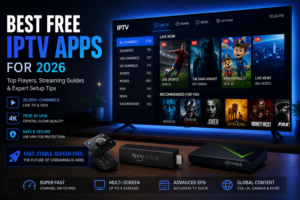
free iptv apps
Not every app works on every device. To save you hours of trial and error, our consultants at The UniverSEO Streaming Lab have mapped the compatibility for the top players.
| IPTV Player | Firestick 4K Max | Nvidia Shield | Apple TV | Android TV | Native 4K | EPG Support |
|---|---|---|---|---|---|---|
| TiviMate | ✅ | ✅ | ❌ | ✅ | ✅ | ✅ |
| IPTV Smarters | ✅ | ✅ | ✅ | ✅ | ✅ | ✅ |
| Ibo Player | ✅ | ✅ | ✅ | ✅ | ✅ | ✅ |
| OTT Navigator | ✅ | ✅ | ❌ | ✅ | ✅ | ✅ |
| GSE Smart IPTV | ✅ | ✅ | ✅ | ✅ | ⚠️ | ✅ |
The modern IPTV player is no longer just a list of links. In 2026, the focus has shifted toward User Experience (UX). High-end players now offer:
Streaming technology has evolved. We are seeing three major trends dominating the free IPTV app landscape this year:
When downloading a Free IPTV APK, safety is paramount. Many third-party sites bundle malware with these installers.
Always download players from official sources (Google Play Store, Apple App Store) or the developer’s official website. Be wary of any app that asks for unnecessary permissions, such as access to your contacts or SMS, which a media player does not need to function.
Regardless of the app you use, we strongly recommend a high-quality VPN. A VPN does three critical things:
Once you have your app, you need to feed it content. Most free players support two primary methods of input:
An M3U file is essentially a text list of stream addresses. You simply copy the URL provided by your service and paste it into the player. This is the fastest way to get started but can be slower to load if the list is massive.
This is the professional standard. Instead of one long URL, you provide:
This method allows the app to categorize channels and VODs automatically, resulting in a much faster and cleaner interface.
Even the best free IPTV app cannot fix a poor internet connection. To achieve no buffering in 4K, follow these technical mandates from The UniverSEO Streaming Lab:
Why are so many users switching to a combination of a free player and a premium service?
| Feature | Traditional Cable | Premium IPTV |
|---|---|---|
| Monthly Cost | High ($100+) | |
| Contracts | Long-term/Binding | Month-to-Month/Contract-free |
| Channel Count | Limited Packages | 20,000+ Channels |
| Hardware | Clunky Proprietary Boxes | Firestick / Shield / Smart TV |
| Content | Regional | Global (US, UK, Canada, etc.) |
Finding the “best free IPTV app” is easy—TiviMate and IPTV Smarters Pro are the industry leaders. The real challenge is finding a service that provides the stability and quality those apps deserve.
Don’t settle for unstable, free lists that freeze during the big game. Experience the difference of a professional infrastructure with a library of over 20,000 channels and a massive 4K VOD collection.
Ready to upgrade your entertainment?
👉 [Start a Free Trial at iptv-usatv.com]
Need help with your Firestick setup or choosing the right player for your hardware? Our experts are standing by.
📲 Contact Support via WhatsApp for custom setup assistance.
Yes, there are free IPTV services, but they are typically unstable, filled with intrusive ads, and prone to frequent outages. Most “free” options are simply players that require you to find your own M3U playlist. For a reliable, high-quality experience, a premium service is highly recommended.
The legality of IPTV depends on the content being streamed. Using an IPTV player (the app) is entirely legal. However, streaming copyrighted content without authorization from the rights holder may violate laws in your jurisdiction. We always recommend using a VPN to protect your privacy.
Services that hold the proper broadcasting licenses for the content they provide are legal. Many users combine legal free-to-air (FTA) playlists with their IPTV players to stay compliant while still enjoying a wide variety of global content.
For Android TV and Amazon Firestick, TiviMate is widely considered the best due to its cable-like interface. For those using a mix of Apple TV and Android, IPTV Smarters Pro is the most versatile and reliable choice.