
Apple TV is the gold standard for IPTV playback. While Firesticks and Android boxes are popular for their openness, the Apple TV 4K provides unmatched processing power, a fluid UI, and superior HDR10+ rendering that makes 4K streaming feel native rather than streamed. To unlock this potential, you need a player that can handle high-bitrate streams without stuttering.
The bottom line: For a premium, professional experience, IPTVX and UHF are the top contenders. For those starting on a budget, IPTV Smarters Pro remains a reliable entry point. To eliminate buffering entirely, pair these apps with a high-speed Ethernet connection and a premium service like iptv-usatv.com, which offers a library of 20,000+ channels and a massive 4K VOD collection.
best iptv app for apple tv
As a senior streaming engineer, I’ve benchmarked dozens of devices. The reason Apple TV dominates is the A-series silicon. While a Firestick may struggle with complex M3U playlists containing thousands of entries, Apple TV handles these databases instantly.
Finding the “best IPTV app for Apple TV Reddit” users recommend often leads to a debate between stability and cost. Here is the professional breakdown of the current landscape.
IPTVX is widely considered the closest experience to a native cable box. Its interface is clean, it supports advanced EPG (Electronic Program Guide) mapping, and it handles 4K streams with incredible efficiency. It is a paid app, but the investment is justified by the lack of clutter.
UHF is designed for users who want a “set it and forget it” setup. It is highly optimized for the Apple TV architecture, ensuring that the hardware acceleration is fully utilized for 4K UHD playback.
IBO Player is a favorite for those using Xtream Codes. It offers a highly customizable layout and is generally faster to set up than more complex players.
If you are searching for the best IPTV app for Apple TV free, Smarters is the go-to. While it lacks the polished aesthetic of IPTVX, it provides all the essential tools: M3U support, EPG, and basic VOD categorization.
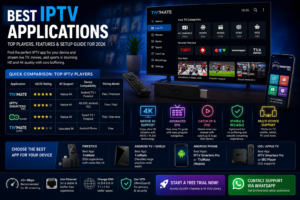
To make an informed decision, you need to look at the protocol support and integration capabilities. The following table compares the top players across the dimensions that actually impact performance.
| App Name | M3U / Xtream Codes | Native 4K Support | EPG Integration | Pricing Model | Best For |
|---|---|---|---|---|---|
| IPTVX | Yes | Ultra-High | Advanced | Paid | Power Users |
| UHF IPTV | Yes | High | Stable | Paid | Stability |
| IBO Player | Yes | High | Standard | One-time Fee | Ease of Use |
| Smarters Pro | Yes | Standard | Basic | Free/Freemium | Beginners |
| TiviMate | N/A* | High | Elite | Paid | Android Only |
Note: TiviMate is the gold standard for Android; for Apple TV, IPTVX is the nearest equivalent in terms of feature depth.
Setting up your IPTV service on Apple TV is straightforward if you have your credentials ready. Most premium providers, including iptv-usatv.com, provide either an M3U URL or Xtream Codes API.
There is a significant difference between upscaled 4K (where the app stretches a 1080p image) and Native 4K. To experience the latter, your hardware and network must be optimized.
For a stutter-free 4K experience, you need a minimum consistent speed of 25 Mbps. However, we recommend 50 Mbps to account for household traffic.
If you have an Apple TV 4K model with an Ethernet port, use it. Wi-Fi is prone to interference and “jitter,” which causes the dreaded buffering wheel during live sports. A hardwired connection ensures a steady stream of packets, crucial for high-bitrate UHD content.
Apple users prioritize ecosystem integrity. When choosing an app, consider these factors:
Many US ISPs engage in “traffic shaping” or throttling when they detect high-bandwidth IPTV streams. To prevent this and protect your privacy, using a VPN on Apple TV is highly recommended. A VPN encrypts your traffic, making it invisible to your ISP and ensuring you get the full speed of your connection.
If you want the absolute best IPTV experience on Apple TV, combine the IPTVX player with a high-performance service like iptv-usatv.com. The combination of Apple’s hardware, a professional player, and a 4K-optimized channel list creates a viewing experience that rivals—and often exceeds—traditional cable.
Ready to upgrade your entertainment? [Start a Free Trial] or [Contact Support via WhatsApp] for personalized setup assistance.
Is IPTV available on Apple TV? Yes, IPTV is available on Apple TV. While Apple does not provide a native IPTV app, the App Store hosts several high-quality third-party players that allow you to load M3U playlists or Xtream Codes.
What is the most legit IPTV? Legitimacy in IPTV depends on the provider’s stability, customer support, and transparency. Services that offer free trials, dedicated WhatsApp support, and a consistent 4K VOD library are generally the most reliable.
What is the best IPTV app for iOS? For iOS (iPhone/iPad), IPTV Smarters and GSE Smart IPTV are popular choices due to their mobile-optimized interfaces and ease of playlist management.
What is the best app for IPTV streaming? For Apple TV, IPTVX and UHF are the top choices for 4K performance. For Android devices, TiviMate remains the industry leader due to its extensive customization options.