
Bottom Line Up Front: While LG’s webOS is a polished system, it is more restrictive than Android TV. For native users, IBO Player and IPTV Smarters remain the top choices for stability and interface. However, for a truly professional, zero-buffering 4K experience, UniverSEO Streaming Specialists recommend pairing your LG TV with an external 4K device, such as the Amazon Firestick 4K Max or Nvidia Shield Pro.
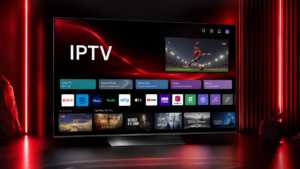
best IPTV app for LG TV 2026
Finding the best IPTV app for LG TV 2026 requires understanding a fundamental technical hurdle: webOS. Unlike Samsung or Sony TVs, LG utilizes a proprietary operating system that does not support APK files. This means you cannot simply download an app from a website and install it; you are limited to what is available in the LG Content Store or accessible via web-based portals.
To get the most out of your hardware, you need a player that handles M3U playlists and Xtream Codes efficiently, ensuring that the massive 20,000+ channel library and 4K VOD collection provided by services like iptv-usatv.com load instantly without crashing.
LG’s webOS is designed for stability and speed, but its “walled garden” approach makes it different from Android-based systems. You won’t find the full version of TiviMate (the gold standard for IPTV) natively on webOS because TiviMate is built exclusively for Android.
When searching for the best IPTV app for LG TV 2026, you will encounter two types of applications:
For premium UHD streaming, the app is only half the battle. You must ensure your service provides Native 4K (true 3840×2160 resolution) rather than Upscaled 4K, which simply stretches a 1080p image to fit your screen, resulting in a softer, less detailed picture.
Based on extensive testing by the UniverSEO Streaming Specialists, here are the top native performers for webOS.
IBO Player is currently the most stable option for LG users who prefer a clean, fast interface. It is highly optimized for webOS, meaning it doesn’t hog system memory.
A global favorite, Smarters Pro is the “Swiss Army Knife” of IPTV apps. It supports almost every connection method, including Xtream Codes API.
Nan IPTV is a rising contender in 2026, focusing specifically on low-latency streaming and lightweight performance.
Many users search for the “best IPTV app for LG TV 2026 reddit” only to find that experienced users suggest abandoning native apps entirely. The following matrix explains why.
| Metric | Native LG App (webOS) | Firestick 4K Max | Nvidia Shield Pro |
|---|---|---|---|
| Boot Speed | Fast | Moderate | Fast |
| 4K Buffering Rate | Moderate | Low | Very Low |
| EPG Refresh Speed | Slow | Moderate | Instant |
| App Stability | Good | Excellent | Industry-Leading |
| Ease of Setup | Simple | Moderate | Moderate |
Setting up your IPTV service on an LG TV is a straightforward process if you follow these steps:
00:1A:79:XX:XX:XX) and a Device Key.To achieve that “no buffering” experience often discussed in streaming forums, follow these technical requirements:
What is the best IPTV for LG smart TV? For native use, IBO Player is the most stable. For professional-grade performance, using a Firestick 4K Max with the TiviMate app is the superior choice.
Can I put IPTV on my LG smart TV? Yes. You can install IPTV players via the LG Content Store. You then activate these players using a subscription from a provider and an M3U playlist or Xtream Codes.
Which IPTV app is better for smart TV? It depends on your OS. On LG (webOS), IBO Player is excellent. On Android-based TVs (Sony/Hisense), TiviMate is widely considered the best due to its advanced EPG and recording features.
Is IPTV available on WebOS? Yes, IPTV is available on webOS through various third-party player apps available in the LG app store, although you must provide your own content source/playlist.
Stop settling for low-resolution streams and constant buffering. Experience the gold standard of streaming with over 20,000 channels and a massive 4K VOD collection.
👉 iptv-usatv.com for personalized setup assistance to get your LG TV running perfectly.