
Finding the right combination of a high-quality service and a stable player is the difference between a seamless cinematic experience and a frustrating cycle of buffering. Whether you are using an Amazon Firestick 4K Max, an Nvidia Shield, or a dedicated Android TV box, your choice of iptv apps for android determines how you interact with your content, from EPG navigation to 4K rendering.
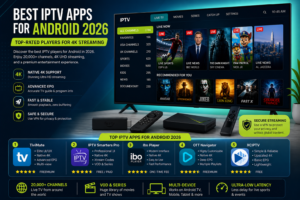
iptv apps for android
| App | UI/UX | 4K Support | EPG Integration | Pricing | Best For |
|---|---|---|---|---|---|
| TiviMate | Elite | Native 4K | Advanced | Freemium | Power Users |
| IPTV Smarters Pro | Professional | Native 4K | Standard | Free/Paid | Versatility |
| Ibo Player | Modern | Native 4K | Simplified | One-time Fee | Beginners |
| OTT Navigator | Customisable | Native 4K | Deep | Freemium | Customization |
| XCIPTV | Traditional | Upscaled 4K | Basic | Free | Budget Setups |
To ensure an unbiased selection, we tested each player against four critical technical benchmarks:
TiviMate is widely regarded as the gold standard for Android TV. It doesn’t just play a list; it transforms your IPTV subscription into a full-blown cable experience with a sophisticated electronic program guide (EPG).
Perhaps the most versatile app on the market, Smarters Pro is a cross-platform powerhouse that handles everything from Live TV to VOD and Series with ease.
Ibo Player has gained massive popularity for its clean, minimalist aesthetic and fast loading speeds, making it ideal for those who want a “plug-and-play” feel.
For the user who wants to tweak every single setting, OTT Navigator offers a level of granularity that is rare in the streaming world.
XCIPTV is a reliable, traditional player that focuses on the core experience: getting your channels on the screen quickly.
It is vital to understand that TiviMate, IPTV Smarters, and the others listed above are IPTV Players, not IPTV services. They are the “shells” or software tools used to view content. To actually watch TV, you must provide your own subscription (via an M3U URL or Xtream Codes) from a separate provider. Without a subscription, these apps are essentially empty media players.
When using iptv apps for android, your privacy is paramount. Most players require access to your local network and storage to function. To ensure maximum security:
Across platforms like Reddit and specialized streaming forums, the consensus is clear: users prioritize stability over features. TiviMate is consistently praised for its “cable-like” feel, while IPTV Smarters is lauded for its ease of installation. Common complaints usually center around EPG sync errors, which are typically an issue with the service provider, not the app itself.
Streaming technology has evolved. In 2026, we are seeing a shift toward:
Support varies wildly across players. TiviMate and OTT Navigator provide comprehensive documentation and active community forums. Ibo Player and Smarters Pro offer more direct, though sometimes slower, email-based support. For most users, community-driven guides are the fastest way to solve setup issues.
While the players above are specialized for IPTV, some users prefer general-purpose media centers:
To enjoy a true 4K UHD experience, your hardware and network must be synchronized. Many users blame the app for buffering when the bottleneck is actually the connection.
| Quality | Required Mbps | Recommended Connection | Buffering Risk (Wi-Fi) |
|---|---|---|---|
| SD (480p) | 3 – 5 Mbps | Any | Low |
| HD (1080p) | 10 – 15 Mbps | Wi-Fi 5 / Ethernet | Moderate |
| 4K (UHD) | 25 – 50 Mbps | Gigabit Ethernet | High |
Pro Tip: Always use a wired Ethernet connection for 4K streaming. Even the fastest Wi-Fi 6 signal can suffer from “jitter,” which leads to those annoying pauses in the middle of a game.
Ready to experience the ultimate in streaming? Start a free trial today or contact our support team via WhatsApp for expert setup assistance. Get instant access to over 20,000 channels and a massive 4K VOD library!
What is the best IPTV app for Android? For most users, TiviMate is the best for Android TV due to its superior UI and EPG. For mobile users, IPTV Smarters Pro offers the best versatility.
What is the most reliable IPTV app? In terms of stability and minimal crashes, TiviMate and OTT Navigator are consistently rated as the most reliable options in 2026.
Which IPTV is legal in the USA? IPTV technology itself is legal. Services that provide licensed content (like YouTube TV, Hulu + Live TV, or Sling) are fully legal. Users should ensure their third-party subscriptions comply with local laws.
Which IPTV app is free? Many apps like IPTV Smarters Pro and XCIPTV offer free versions. TiviMate and OTT Navigator use a freemium model with a free trial and a paid premium tier for advanced features.