
Stop letting expensive cable bills drain your bank account every month. You don’t need a bulky satellite dish or a restrictive contract to watch the NFL, NBA, or the latest cinema hits. All you need is a reliable internet connection and IPTV Smarters Pro.
If you’re tired of limited channel packages and hidden fees, switching to a modern streaming setup is the smartest move you can make this year. Here is everything you need to know to get started.
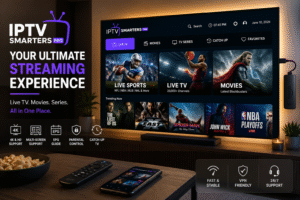
First, let’s clear up a common misconception: IPTV Smarters Pro is a media player, not a service provider.
Think of it like a DVD player. A DVD player is useless without a disc; similarly, IPTV Smarters Pro is a powerful tool that organizes and plays content, but it does not come with channels or movies.
To actually watch TV, you need an IPTV subscription. By pairing this app with a premium provider like iptv-usatv.com, you unlock a world of live television, VOD, and sports without the cable headache.
Why is this app the gold standard for users in the USA? It’s all about the features:
Setting up your Firestick IPTV player or mobile app is simple. Follow these steps:
.exe installer and follow the prompts.IPTV Smarters Pro is designed for the user, not the technician. The intuitive UI puts your favorites front and center. Instead of scrolling through a giant list of thousands of channels, the app categorizes content into Live TV, Movies, and Series.
Navigation is snappy, and the search function allows you to find specific US channels or movies in seconds. It is built to be a “plug-and-play” experience once your subscription is active.
When streaming, your privacy matters. IPTV Smarters Pro does not store your viewing habits on its own servers; it simply acts as a bridge between you and your provider.
Pro Tip: For maximum data safety and to avoid ISP throttling, we highly recommend using a VPN. This encrypts your traffic and keeps your streaming private.
For app support, the developers provide a help section within the app. However, most “connection errors” are actually related to the subscription service, not the app itself. If you use iptv-usatv.com, our support team can help you troubleshoot your login instantly.
Looking at user feedback across the web, the consensus is clear: Stability is king.
The Praise: Users rave about the app’s ability to handle high-bitrate 4K streams without crashing. The multi-screen feature is a favorite for sports fanatics who want to track multiple NFL games simultaneously.
The Complaints: Some users find the initial setup confusing, particularly on Firestick. This is usually because they forget to enable “Unknown Sources.” Once past the setup, however, the rating typically jumps to 5 stars.
While there are many players available, not all are created equal. Here is how Smarters Pro stacks up against the competition.
| App Name | User Interface (1-10) | Multi-Screen | EPG Integration | Ease of Setup |
|---|---|---|---|---|
| IPTV Smarters Pro | 9 | Yes | Yes | Medium |
| TiviMate | 10 | Yes | Yes | Hard |
| GSE Smart IPTV | 6 | No | Yes | Medium |
| OTT Navigator | 8 | Yes | Yes | Hard |
| Perfect Player | 7 | No | Yes | Easy |
The 2026 version of IPTV Smarters Pro has introduced several critical improvements:
Having a great player is only half the battle. You need a powerhouse service to fuel it. iptv-usatv.com is the perfect partner for your Smarters Pro app.
IPTV Smarters Pro is undoubtedly the best all-around player for anyone looking to cut the cord in 2026. It is powerful, flexible, and supports every major device.
Ready to stop overpaying for TV? Get instant access to the best content today.
[Start Your Free Trial with iptv-usatv.com Now]
Is IPTV Smarters Pro free? Yes, the app itself is free to download. However, you must pay for a separate IPTV subscription to access content.
Does it come with channels? No. It is a media player. You need to purchase a subscription from a provider like iptv-usatv.com to get your channel list.
Is it legal to use? Using a media player like IPTV Smarters Pro is legal. We always recommend choosing a reliable and reputable service provider for your content.
How do I fix buffering on Smarters Pro? First, check your internet speed. Second, try restarting your router. Third, ensure you are using a high-quality subscription from a provider with stable servers. Finally, using a VPN can often bypass ISP throttling.