
TiviMate IPTV Player Review: The Ultimate Shell for Your Streaming
Imagine having a TV interface that looks and feels exactly like a high-end cable box, but without the restrictive contracts or monthly bills. That is the promise of TiviMate.
However, there is one critical detail most beginners miss: TiviMate is only a player. It is the “shell” or the software. It does not come with any channels, movies, or sports. To actually watch TV, you need to pair TiviMate with a high-quality IPTV subscription from a provider like iptv-usatv.com.
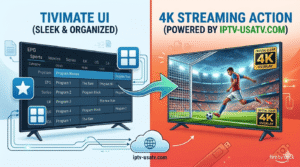
To put it simply, TiviMate is an IPTV player designed specifically for Android-based devices. Think of it like a DVD player; the player is the machine, but you still need the disc (the content) to watch a movie.
In this scenario, TiviMate is the machine, and your IPTV USA service is the disc. TiviMate takes the M3U URL or Xtream Codes provided by your service and turns a raw list of links into a beautiful, organized TV guide.
While there is a free version, TiviMate Premium is where the real magic happens. Users love it because it mimics the “traditional” TV experience better than almost any other app.
Recent updates have focused heavily on stability and integration. The latest versions have optimized the loading speed for large playlists (some services offer over 20,000 channels), reducing the initial “hang” time when launching the app.
There is also improved support for TiviMate Companion, a mobile app that allows you to manage your playlists and settings from your phone instead of typing long URLs using a clunky TV remote.
Choosing the right player depends on your hardware and how much you value a “cable-like” feel. Here is how TiviMate stacks up against the competition:
FeatureTiviMateIPTV SmartersTiviMate CompanionPrimary UI StyleTraditional Cable GridApp-style DashboardManagement ToolMulti-ViewYes (Premium)LimitedNoSetup EaseMedium (Requires URL)Easy (Login)Very EasyDevice FocusAndroid TV / FirestickUniversalMobile (Management)CostApprox. $33.99 (Premium)Free / Paid VersionsIncluded with Premium
Getting started is simple if you follow these steps:
As we established, TiviMate is just a shell. If you put a low-quality service into a high-quality player, you will still experience buffering and frozen screens. To unlock the full potential of TiviMate, you need a powerhouse provider.
At iptv-usatv.com, we provide the “fuel” for your TiviMate player. Our service includes:
TiviMate is undoubtedly the best player for anyone who wants their streaming to feel like professional cable. But remember: the player is only as good as the service powering it.
Don’t settle for buffering or missing channels. Pair your TiviMate setup with the best IPTV service in the USA today.
[Start your free trial now and experience 4K streaming with iptv-usatv.com!]
What is the cost of TiviMate Premium? TiviMate Premium typically costs around $33.99, depending on whether you choose a yearly or one-time payment option.
Does TiviMate provide channels? No. TiviMate is an IPTV player (a shell). You must purchase a separate IPTV subscription from a provider to access live TV and VOD.
Can I use TiviMate on Windows? TiviMate is built specifically for Android TV and Firestick. To use it on Windows, you would need to install an Android emulator like BlueStacks.
How do I install TiviMate on Firestick? Install the “Downloader” app from the Amazon App Store, enter the TiviMate APK download URL, and install the file.